ClickHouse
ClickHouse is a fast, open-source columnar database for real-time analytics. OpenRouter can stream traces directly to your ClickHouse database for high-performance analytics and custom dashboards.
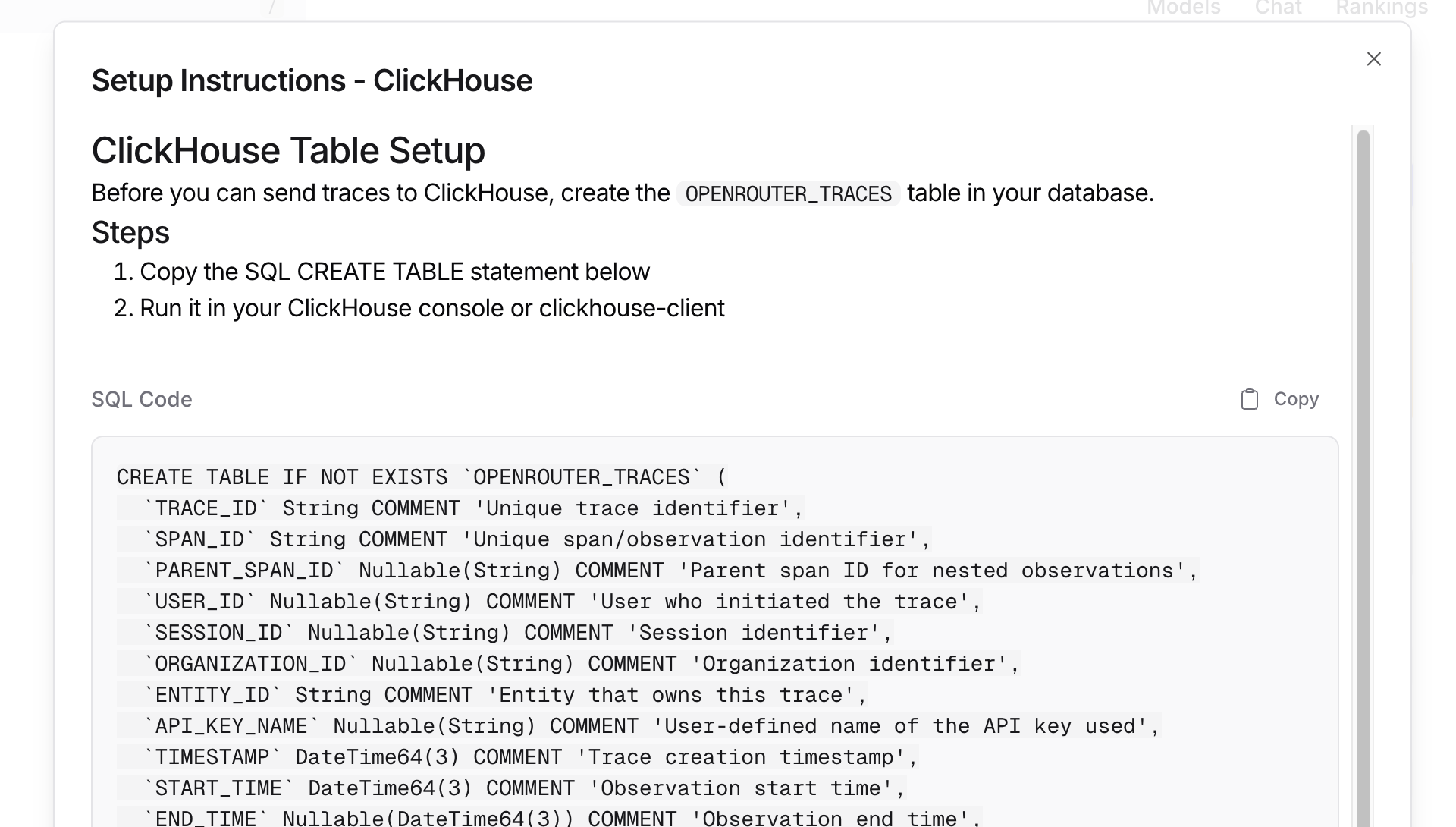
Step 1: Create the traces table
Before connecting OpenRouter, create the OPENROUTER_TRACES table in your ClickHouse database. You can find the exact SQL in the OpenRouter dashboard when configuring the destination:
Step 2: Set up permissions
Ensure your ClickHouse user has CREATE TABLE permissions:
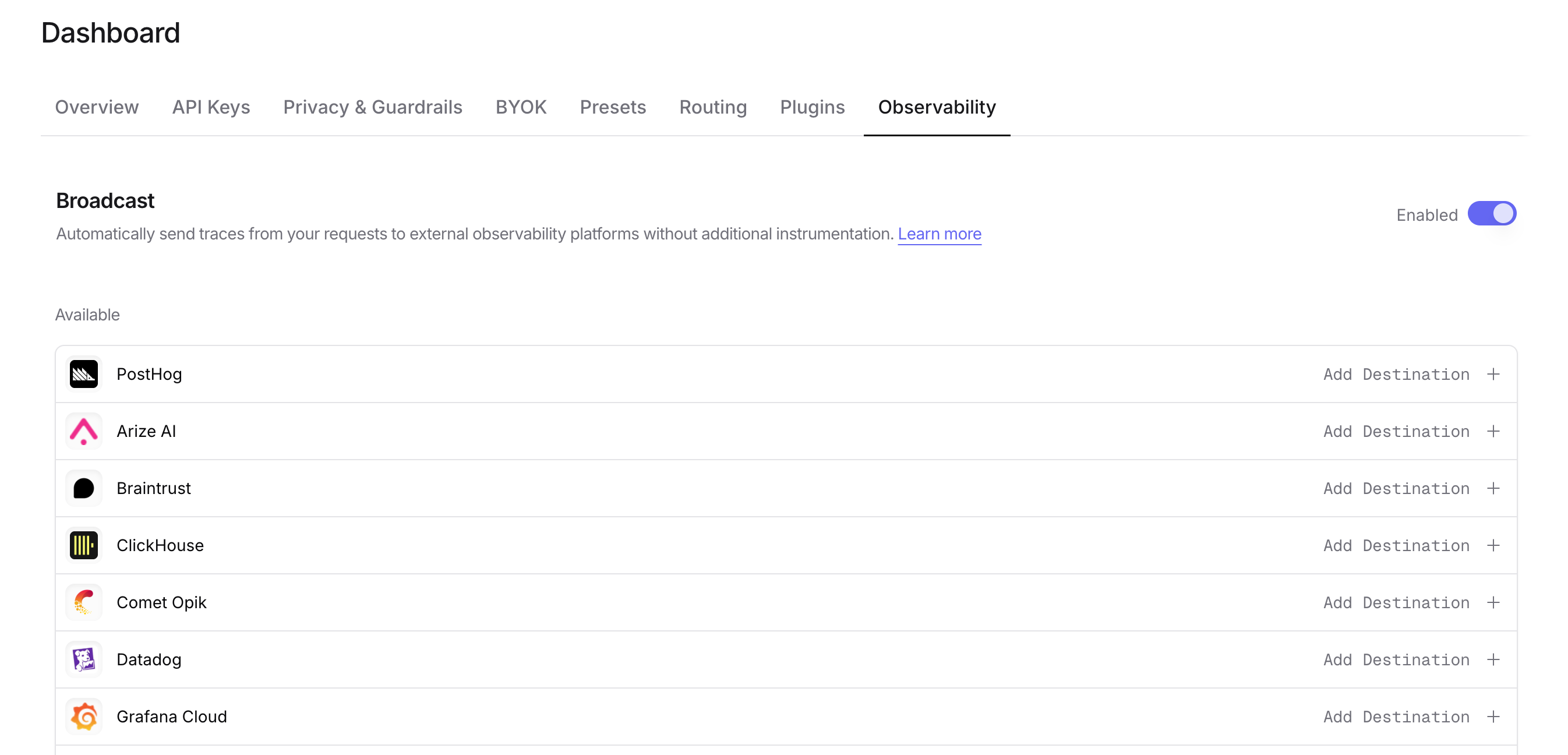
Step 3: Enable Broadcast in OpenRouter
Go to Settings > Observability and toggle Enable Broadcast.
Step 4: Configure ClickHouse
Click the edit icon next to ClickHouse and enter:
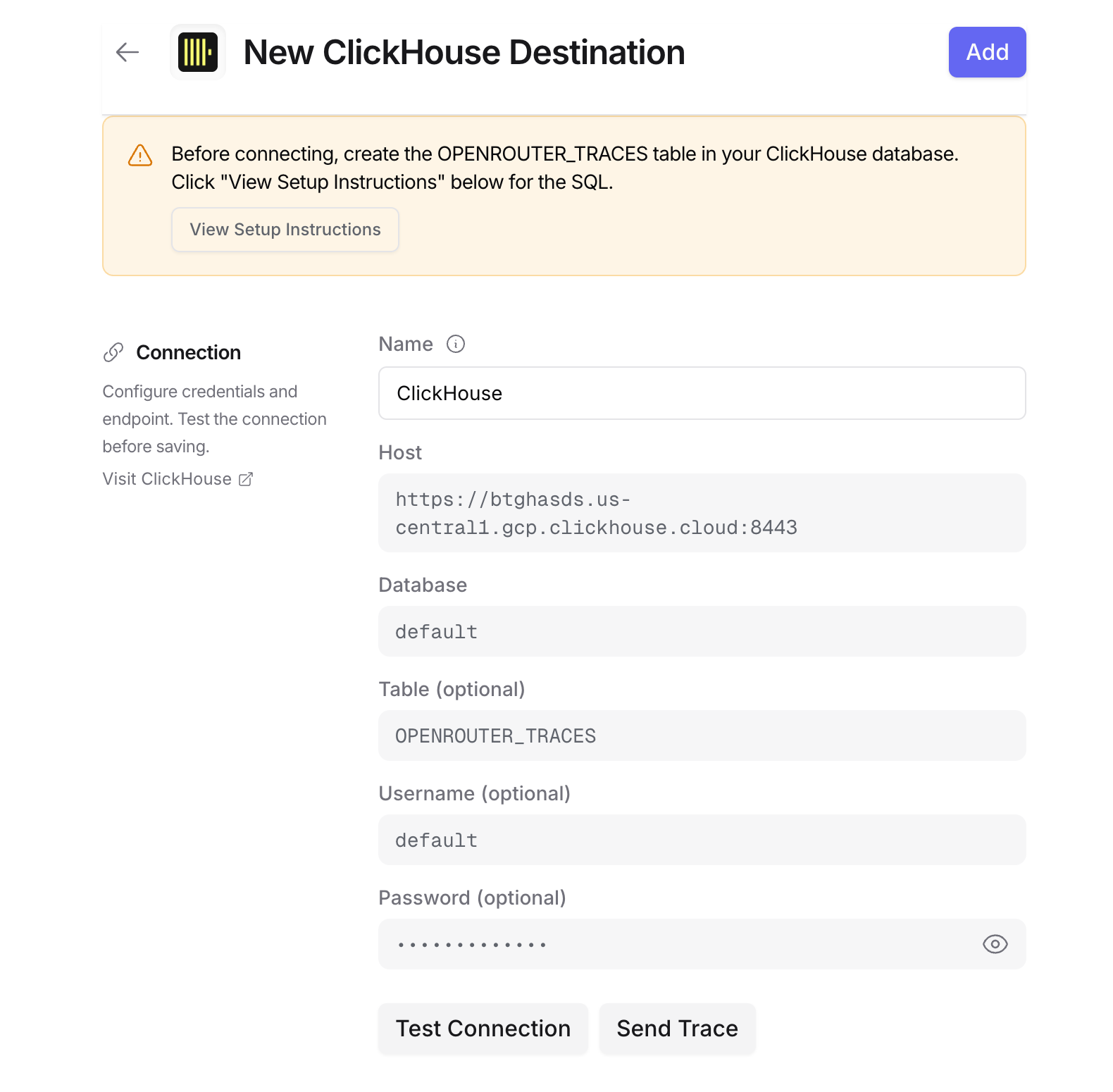
- Host: Your ClickHouse HTTP endpoint (e.g.,
https://clickhouse.example.com:8123) - Database: Target database name (default:
default) - Table: Table name (default:
OPENROUTER_TRACES) - Username: ClickHouse username for authentication (defaults to
default) - Password: ClickHouse password for authentication
For ClickHouse Cloud, your host URL is typically https://{instance}.{region}.clickhouse.cloud:8443. You can find this in your ClickHouse Cloud console under Connect.
Step 5: Test and save
Click Test Connection to verify the setup. The configuration only saves if the test passes.
Step 6: Send a test trace
Make an API request through OpenRouter and query your ClickHouse table to verify the trace was received.
Example queries
Cost analysis by model
User activity analysis
Error analysis
Provider performance comparison
Usage by API key
Accessing JSON columns
ClickHouse stores JSON data as strings. Use JSONExtract functions to query
nested fields:
To parse input messages:
Schema design
Typed columns
The schema extracts commonly-queried fields as typed columns for efficient filtering and aggregation:
- Identifiers: TRACE_ID, USER_ID, SESSION_ID, etc.
- Timestamps: DateTime64 for time-series analysis with millisecond precision
- Model Info: For cost and performance analysis
- Metrics: Tokens and costs for billing
String columns for JSON
Less commonly-accessed and variable-structure data is stored as JSON strings:
- ATTRIBUTES: Full OTEL attribute set
- INPUT/OUTPUT: Variable message structures
- METADATA: User-defined key-values
- MODEL_PARAMETERS: Model-specific configurations
Use ClickHouse’s JSONExtract* functions to query these fields.
Custom Metadata
Custom metadata from the trace field is stored in the METADATA column as a JSON string. You can query it using ClickHouse’s JSONExtract functions.
Supported Metadata Keys
Example
Querying Custom Metadata
Use ClickHouse’s JSON functions to query your custom metadata:
Additional Context
- The
userfield maps to theUSER_IDtyped column - The
session_idfield maps to theSESSION_IDtyped column - All custom metadata keys from
traceare stored in theMETADATAJSON string column - For high-performance filtering on metadata fields, consider creating materialized columns with
ALTER TABLE ... ADD COLUMN
Additional resources
Privacy Mode
When Privacy Mode is enabled for this destination, prompt and completion content is excluded from traces. All other trace data — token usage, costs, timing, model information, and custom metadata — is still sent normally. See Privacy Mode for details.

